
Call a Specialist Today! 844-294-0778

Prisma Browser
The Most Secure Browser Built for the Agentic AI Era
Your modern workspace that stops evasive threats, controls AI and agents, and safely enables work from anywhere.
What is Prisma Browser
Palo Alto Networks Prisma Browser is the first SASE-native secure browser to extend the power of SASE to any device, any user, any location and any web application in minutes. With approximately 85% of daily work performed in a web browser and 95% of security incidents originating there, enterprises trust Prisma Browser to safeguard business-critical applications and data. Powered by Palo Alto Networks PrecisionAI, which detects and blocks an average of 8.95 million new and unique attacks daily, Prisma Browser protects against advanced web-based threats and malware, malicious extensions, and compromised devices. It extends Zero Trust principles and last-mile data controls directly to the browser, delivering Enterprise DLP with over 1,000 built-in data classifiers to protect sensitive information. Easily deployed in minutes—without admin privileges or disruption—Prisma Browser enhances productivity and delivers a frictionless, intuitive user experience. It provides powerful, seamless security for any user, on any device, from anywhere, empowering organizations to stay secure and agile in a rapidly evolving digital landscape.
Embrace the Browser-Driven Workspace
The way we work has fundamentally changed. Organizations worldwide have pivoted to hybrid work, significantly increasing reliance on unmanaged personal devices. Mix this with an increasing reliance on inherently vulnerable web browsers and complex cloud adoption, and there’s a new landscape of risk. With security teams grappling for visibility and control, Palo Alto Networks commissioned research to delve into the nuances of today’s challenging environments.
The Modern Workforce
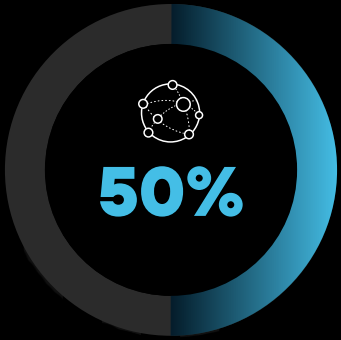
Increase in web/SaaS app use over the next 24 months.
An expanding, complex workspace requires a critical rethinking of cybersecurity measures, securing sensitive data in the browser.
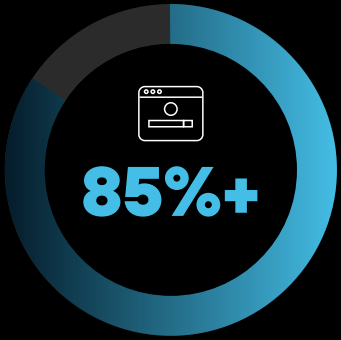
Portion of the workday taking place in a web browser, with 11% personal browsing.
A web browser with robust security safeguards this new work environment. This includes proactively enhancing visibility into browser activity.

Organizations that had employees and contractors access corporate apps from personal devices.
The prevalent use of personal devices is a serious challenge for security teams. They must strengthen security policies and tools to secure data on these unprotected endpoints.
Risks of the Modern Workforce
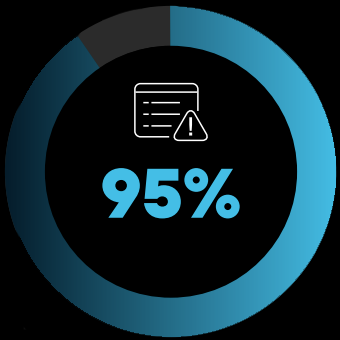
Percentage of respondents who reported browser-based attacks in the last 12 months. This included account takeovers, malicious extensions, etc.
This glaring security gap requires organizations to fortify their web browser and enforce stringent device management.
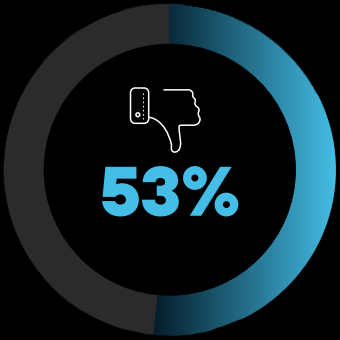
Organizations that weren’t confident in their ability to address security issues in unmanaged/poorly managed devices. Only 6% were very confident.
Organizations concerned with device threats need to embrace advanced visibility and control mechanisms.
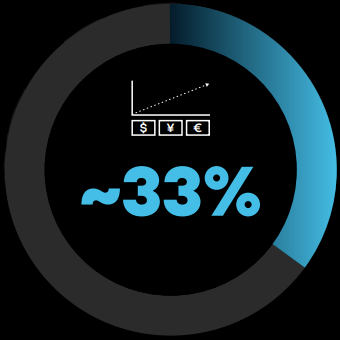
Respondents with higher financial cost/business impact caused by threats on unmanaged/poorly managed devices, compared to all other security incidents.
An upgrade in tactics is required for device security and management to address these risks.
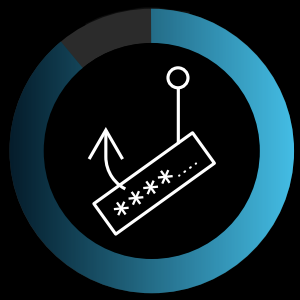
94%
Organizations that experienced a phishing attack over the last 12 months
Modern Work in the AI Era is Browser-First
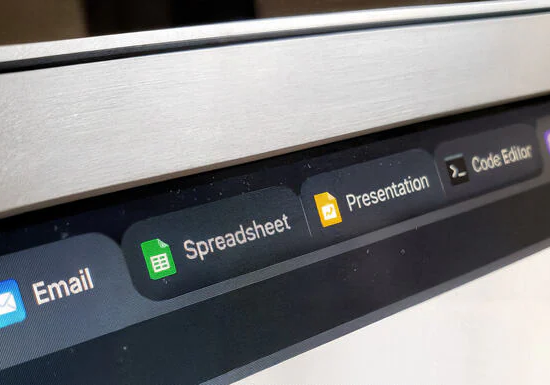
85%–100% of a worker's day is spent in the browser.

10,000+ SaaS, GenAI and AI-built applications are used in large organizations.

90% of organizations enable work on unmanaged devices.
The Browser is Your New Perimeter.
Secure it with Prisma Browser.
Security Benefits
Close the Security Gaps Legacy Tools Miss.
Govern GenAI Usage
Protect sensitive data in GenAI apps with granular controls.
Complete Web Protection
Stop evasive web and AI-powered threats before they execute.
Elevate Data Protection
Safeguard sensitive data with last-mile controls and 1,000+ classifiers.
Secure Non-SSO Apps
Eliminate shadow IT with full app visibility and policy enforcement.
Enhance SOC Operations
Accelerate investigations with browser forensics and session replay.
Business Benefits
Security That Drives the Enterprise Forward.
Empower Independent Workers
Enable secure access from any device while reducing costs.
Guarantee Business Continuity with BYOD
Maintain zero downtime with secure workspaces anywhere.
Accelerate M&A Integration
Enable secure access for new employees from day one.
Reduce VDI Complexity
Deliver secure app access while cutting VDI cost and friction.
Secure Agentic Browsing
Ensure safe execution and governance of automated tasks.
Seamless Security for Every User and Device
Available as a browser, an extension and a mobile app.
Protect work against AI-powered phishing attacks
Discover evasive threats with real-time scanning of all webpage components.
Block new and unique malware
Neutralize web-borne threats and malicious file downloads before they reach the OS with industry-leading sandboxing.
Secure work on untrusted devices
Securely enable work on managed and unmanaged devices by isolating enterprise apps from unmanaged endpoints.
Protect work against malicious extensions
Discover all extensions in use, continuously monitor them for threats, and block risky or over-permissive extensions.
Close the blindspot in SOC operations
Collect deep insights and audit trails across any web action to investigate incidents and protect against insider risks.
Control user interactions in any app
Get full visibility and control of actions in SaaS, GenAI and private apps.
Secure user actions, in any app, including last mile
Apply dynamic zero trust policies based on user risk score, location and the sensitivity of the content.
Reduce user friction with flexible guardrails
Apply step-up authentication and just-in-time approvals for high-risk activities like printing or data exports.
Block transfer of data from business to personal accounts
Use directional context to prevent data leakage by blocking transfers between sanctioned corporate apps and personal accounts.
Leverage over 1000 data classifiers
Achieve unmatched accuracy with 10x fewer false positives to protect trade secrets in GenAI apps.
Access any app
Provide a single workspace to access all web, SaaS and private applications — even those with SSL certificate pinning.
Fast onboarding
User friendly onboarding wizard empowers users to sync data across devices and start work in minutes.
Simplify password security
Streamline secure logins with built-in password management.
Customize your homepage
Boost productivity with a personalized homepage and sidebar for quick access to company shortcuts and bookmarks.
Real User Monitoring
Understand user experience by monitoring users' real-time interactions with applications.
Technical Resources
Datasheet and technical specifications for Prisma Browser
Prisma Browser Datasheet
Download the Prisma Browser datasheet for architecture, deployment models, and detailed security capabilities.
For Dummies: The Secure Browser for the Modern Enterprise
Download the guide for securing remote and BYOD workforces, managing encrypted traffic, and controlling access to GenAI tools.
Definitive Guide to Secure Browsers
Download the guide to learn more about secure browsers and how they can transform your security strategy.
Omdia Research Report - The State of Workforce Security
Download the Omdia research report for key insights and actionable strategies to help IT and security leaders navigate today's workforce security challenges.
Industry Pulse Report - Enterprise Browsers: AI-Ready Security for a Modern Workforce
Download the trends report to see how a browser-based approach secures your AI transformation and unmanaged devices, or explore the key highlights.
Related Products
Prisma Browser integrates seamlessly with the broader Prisma platform to deliver end-to-end Zero Trust.
Prisma Access
Secure access to private apps, SaaS, and the internet with unified SASE enforcement.
Learn MoreRemote Browser Isolation
Dynamically isolate high-risk web sessions for complete zero-day protection.
Learn MoreEnterprise Data Loss Prevention
Prevent sensitive data leakage across browser activity, SaaS, and GenAI.
Learn MoreAI Access Security
Extend visibility and control across GenAI applications accessed through the browser.
Learn MoreConnect with Prisma Browser Experts
Talk with a Prisma Browser specialist to understand how secure browsing can replace VDI, simplify BYOD, and extend Zero Trust to every user and device
Available 7am PST - 6pm PST | Response within 1 business day
Contact Information:
Email: [email protected]
Phone: 844-294-0778 (Toll Free) | 949-328-2955 (Local)
Prisma Browser is part of the Prisma security platform.